
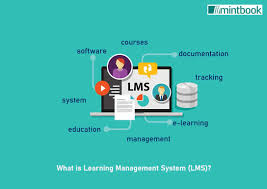
What is a Learning Management System (LMS)?
Think of an LMS as a digital classroom or a central hub for learning. It’s a type of software. This software helps people who teach or train others.
It also helps people who are learning. It lets them put all their learning stuff in one place. This can be courses, videos, documents, or tests.
The system helps organize it all. It also helps track who is learning what. And it helps see how well they are doing.
Many people use an LMS to deliver training. Businesses use them to train new employees. They also use them to teach current staff new skills.
Schools and universities use LMS platforms to manage online classes. Students can log in to see lectures. They can turn in homework.
They can even take exams. It makes managing a lot of learning activities much simpler.
The main idea behind an LMS is to make learning accessible and manageable. It brings together different parts of the learning process. This includes content delivery, student engagement, and progress tracking.
It’s like having a smart assistant for all your educational needs. The system can handle many tasks automatically. This frees up instructors and learners to focus on the actual learning.
Why Do We Need Learning Management Systems?
The world is changing fast. New information comes out all the time. People need to learn new things constantly.
Businesses need their workers to keep up. Schools need students to learn the latest subjects. An LMS helps meet this need for continuous learning.
It makes learning more flexible. People can learn when and where it works for them.
Before LMS platforms, training often meant everyone had to be in the same room. Or you had to mail out lots of materials. This was hard to track.
It was also expensive. An LMS solves these problems. It can deliver content to anyone with an internet connection.
This saves time and money. It also makes sure everyone gets the same quality of instruction. This is very important for consistent training.
It’s not just about delivering lessons. An LMS also helps make learning better. It can offer different ways to learn.
Some people like videos. Others prefer reading. An LMS can provide these options.
It can also make learning more interactive. Quizzes and games keep people engaged. This helps them remember more.
It makes the whole learning experience more effective and enjoyable for everyone involved.
Key Benefits of Using an LMS
Accessibility: Learners can access course materials anytime, anywhere.
Cost Savings: Reduces travel and material costs associated with traditional training.
Consistency: Ensures uniform delivery of content and training standards.
Tracking & Reporting: Provides detailed insights into learner progress and engagement.
Scalability: Easily accommodates a growing number of learners and courses.
My First Encounter with an LMS
I remember when my old company first introduced an LMS. It was for mandatory compliance training. Before that, we’d get thick binders.
Then we’d sit through long, dry presentations. It felt like a chore. I remember feeling a bit overwhelmed when I first logged into the new system.
It looked very technical. I worried I wouldn’t be able to figure it out.
The system had a clean dashboard. It showed me my assigned courses. There were little progress bars.
It felt more organized. I clicked on the first module. It was a video.
Then there was a short quiz. It was much better than the old way. I could do it on my lunch break.
Or even for a bit at home. This flexibility was a game-changer. It made learning feel less like a punishment.
What really stood out was the tracking. My manager could see my progress. I could see it too.
It made me feel more in control. And a little more motivated. I wasn’t just passively watching a screen.
I was actively participating. That first experience showed me how a good LMS could truly make a difference. It wasn’t just software; it was a tool that made learning feel easier and more effective.
It took away a lot of the frustration I used to feel with training.
Different Types of Learning Management Systems
Not all LMS platforms are built the same. There are a few main types. Each one suits different needs.
Knowing these can help you pick the right one. Some are very simple. Others are packed with features.
One common type is a cloud-based or SaaS (Software as a Service) LMS. This means the software lives on the internet. You don’t install it on your own computers.
You just log in through a web browser. This is super convenient. The company that provides the LMS handles all the tech stuff.
Updates and maintenance are taken care of. This is great for small businesses or individuals.
Then there are self-hosted or on-premise LMS solutions. You buy the software. Then you install it on your own servers.
This gives you a lot of control. You can customize it more. But you also have to manage it all yourself.
This means you need IT staff. It can be more expensive upfront. Large companies with strict security needs might choose this type.
There are also open-source LMS options. These are free to download. You can modify the code.
Moodle is a popular example. This offers great flexibility. But it requires technical skill to set up and manage.
It’s like getting a recipe. You can cook it as is, or change it a lot. You need to know how to cook well to make big changes.
LMS Deployment Models
- Cloud-Based (SaaS): Hosted by the vendor, accessed via web browser. Easy to set up, automatic updates.
- Self-Hosted (On-Premise): Installed on your own servers. More control, but requires IT management.
- Open-Source: Free software that can be modified. Requires technical expertise.
Core Features of a Good LMS
When you look at an LMS, what should you expect to see? What features are really important? A good system will have several key components.
These work together to create a smooth learning experience.
First, there’s content creation and management. This is where you upload your lessons. You can add videos, documents, presentations, and more.
Some LMS platforms also have tools to build quizzes or surveys directly. This makes it easy to create engaging content. You want to be able to organize this content into courses.
You should be able to structure it logically.
Next is user management. This is about adding learners and instructors. You can group them.
You can assign them specific courses. You need to control who sees what. This is important for privacy and for making sure people get the right training.
You can set up different roles. Like admin, instructor, and student.
Then there’s progress tracking and reporting. This is a big one. The LMS needs to show you who has completed what.
It should track scores on tests. It can generate reports. These reports help you see if your training is working.
They show you where people might be struggling. This data is very valuable for improving learning programs.
Engagement features are also crucial. Things like discussion forums. Or chat tools.
These help learners interact with each other. They can ask questions. They can share ideas.
This builds a learning community. Gamification elements like points or badges can also boost motivation. They make learning feel more fun and rewarding.
Finally, integration capabilities are important. Can the LMS connect with other tools you use? Like your HR system?
Or your video conferencing software? Good integrations make the LMS work better with your existing workflow. This saves time and reduces manual data entry.
It makes the whole system more powerful.
Essential LMS Features Checklist
Content Management
Upload Variety: Supports documents, videos, SCORM packages, etc.
Course Structure: Organize content into modules and lessons.
Assessments: Create quizzes, tests, and surveys.
User Management
Enrollment: Assign users to courses easily.
Roles & Permissions: Define access levels for different users.
Groups: Organize learners by department, team, or cohort.
Reporting & Analytics
Completion Rates: Track who has finished courses.
Score Tracking: Monitor performance on assessments.
Custom Reports: Generate specific data as needed.
Engagement & Communication
Forums/Discussion Boards: Facilitate peer-to-peer learning.
Messaging: Direct communication between users and instructors.
Gamification: Badges, points, leaderboards to motivate learners.
Technical Aspects
Mobile Responsiveness: Works well on all devices.
Integrations: Connects with other business tools.
Security: Protects user data.
How to Choose the Right LMS for Your Needs
Picking an LMS can feel like a big decision. There are so many options. The best system for one person might not be right for another.
You need to think about what you really need. What are your goals? Who will be using it?
First, define your learning objectives. What do you want to achieve? Are you training employees on new software?
Are you teaching students a new subject? Are you looking to improve sales skills? Your goals will shape the features you need.
If you need to track certifications, make sure the LMS supports that. If you need to deliver complex video training, check its video capabilities.
Consider your users. How tech-savvy are they? An LMS with a simple, intuitive interface is best for less technical users.
If your users are mostly young students, they might expect more interactive features. Think about mobile access too. Many people learn on their phones now.
The LMS must work well on a mobile device.
Next, look at the budget. LMS prices can vary a lot. Some charge per user per month.
Others have a one-time fee. Or an annual subscription. Make sure you understand the total cost.
Look for hidden fees. Factor in setup costs and any training you might need to learn the system.
Then, evaluate the features. Do you need advanced reporting? Or is basic tracking enough?
Do you need a lot of customization options? Or is a standard setup fine? Don’t pay for features you won’t use.
But make sure it has the essentials for your learning programs.
Finally, read reviews and ask for demos. See what other users say. Most LMS providers offer a free trial or a demo.
This is your chance to try it out. See if it feels good to use. Test out the features you care about most.
It’s better to spend time choosing the right system now. It will save you a lot of headaches later on.
LMS Selection Framework
1. Define Objectives
What are your main learning goals?
2. Know Your Users
Consider their tech skills and device usage.
3. Set Your Budget
Understand pricing models and total cost.
4. List Must-Have Features
Prioritize what you absolutely need.
5. Test and Review
Request demos and read user feedback.
Real-World Scenarios Where an LMS Shines
Let’s look at some common situations. You’ll see where an LMS really proves its worth. It’s not just for big companies.
Many different groups benefit.
Scenario 1: Onboarding New Employees
Imagine a company that hires many people every month. They need to teach everyone the same basics. This includes company policies, safety rules, and job duties.
Instead of running the same session over and over, they can put all this into an LMS. New hires can start the training on day one. They can work through it at their own pace.
The HR department can track who has completed everything. This saves instructors a lot of time. It also ensures all new staff get the same important information.
Scenario 2: Continuous Professional Development (CPD)
Many professions require ongoing learning. Doctors, lawyers, and teachers need to update their skills. They often need to earn credits.
An LMS can host these courses. Professionals can access them online. They can earn certificates of completion.
The LMS can manage their learning records. It can track how many credits they’ve earned. This makes it easy for them to stay current.
It also helps them prove they are meeting requirements.
Scenario 3: Customer Training
Software companies often need to train their customers. How to use their product. How to get the most out of its features.
An LMS can host these tutorials. It can offer guided walkthroughs. It can include FAQs and troubleshooting guides.
This helps customers become experts. It can reduce the number of support tickets. It improves customer satisfaction.
Happy customers are more likely to stick around.
Scenario 4: K-12 Education
Schools use LMS platforms to support classroom learning. Teachers can post assignments. Students can submit work online.
Parents can see their child’s progress. Teachers can share extra resources. Online quizzes can check understanding.
This helps manage homework. It makes communication easier. It can also support remote learning.
It’s a central place for all class activities.
Scenario 5: Higher Education
Universities widely use LMS systems. They host course materials. They allow for online lectures.
Students can participate in discussion boards. They can submit essays and projects. Professors can grade work and provide feedback.
Online exams can be administered. It supports blended learning. This mixes online and in-person classes.
It makes managing large courses much more practical.
LMS in Action: Quick Scan
Business Onboarding: Streamlined employee training.
Professional Development: Managing licenses and certifications.
Customer Education: Helping users master products.
K-12 Schools: Supporting classroom assignments and communication.
Universities: Hosting online courses and managing student work.
The Future of Learning Management Systems
LMS platforms are always getting better. They are not standing still. Technology changes.
So do how we learn. What can we expect in the future?
One big trend is the use of artificial intelligence (AI). AI can help personalize learning. It can suggest courses.
It can identify areas where a learner needs more help. It can even create custom learning paths. This makes learning more efficient.
It’s like having a tutor who knows you perfectly.
We will see more focus on mobile learning. As more people use smartphones, LMS must be mobile-first. This means apps that are easy to use on small screens.
Content that adapts to different devices. Learning will happen more on the go.
Another area is better analytics. LMS will provide even deeper insights. They will help predict learning needs.
They will measure the impact of training on business results. This data will be very powerful for making decisions.
Integration will also continue to grow. LMS will connect with more systems. Think about how we use HR software.
Or project management tools. Seamless integration makes the LMS a natural part of our work. It pulls data from other places.
It pushes data where it’s needed.
Finally, user experience will be key. LMS will become more intuitive. More engaging.
They will feel less like software. And more like a natural part of learning. This will make adoption easier.
And it will make learning more enjoyable for everyone.
What Does This Mean for You?
If you’re an employee, an LMS might be your new training ground. You’ll likely use it for new job skills. Or for compliance training.
It offers flexibility. You can learn at your own pace. It’s a good way to keep your skills sharp.
If you’re a student, you’ll see LMS in your classes. It helps organize assignments. It lets you talk with your teachers and classmates.
It makes schoolwork more accessible. You can review materials anytime you need to.
If you’re a business owner or manager, an LMS can transform your training. It can save money. It can improve employee performance.
It can ensure everyone follows important rules. It’s an investment in your team.
If you’re an educator, an LMS is a powerful teaching tool. It helps you deliver lessons. It lets you track student progress.
You can create engaging activities. It makes managing your classroom much easier.
The key takeaway is that LMS are here to stay. They are becoming a standard part of how we learn. They aim to make learning more effective and accessible for everyone.
Understanding what they are and how they work is helpful. It prepares you for the learning experiences ahead.
Quick Fixes and Tips for LMS Users
Here are some simple tips. They can help you get the most out of any LMS you use.
Tip 1: Explore Everything
Don’t be afraid to click around. See what features are available. Most LMS are designed to be user-friendly.
Understanding all the options will help you use it better.
Tip 2: Use the Help Section
If you get stuck, look for a help or support section. Most LMS have FAQs or tutorials. They can answer common questions quickly.
Tip 3: Engage with Others
If there are discussion forums or chat options, use them! Learning with others can be very helpful. You can ask questions.
You can help someone else. It builds a stronger learning community.
Tip 4: Take Notes (Digitally)
When you go through lessons, it’s helpful to take notes. You can do this in a separate document. Or within the LMS if it allows.
This helps you remember information better.
Tip 5: Check for Updates Regularly
If you are an admin, make sure your LMS is updated. New features often improve performance and security. If you are a user, see if there are new courses or materials added.
Tip 6: Provide Feedback
If you have suggestions for improvement, share them. Your feedback can help the system get better for everyone. Most platforms have a way to submit feedback.
Frequently Asked Questions about Learning Management Systems
What is the primary purpose of an LMS?
The main goal of an LMS is to provide a central platform for delivering, managing, and tracking educational content and training programs. It helps organize learning materials, enroll users, monitor progress, and report on outcomes.
Is an LMS only for online courses?
No, an LMS can support various learning formats. While often used for fully online courses, it can also manage blended learning (a mix of online and in-person) and even supplement traditional classroom instruction by providing access to digital resources.
How do businesses benefit from using an LMS?
Businesses use LMS to train employees efficiently, reduce training costs, ensure compliance with regulations, onboard new hires faster, and develop workforce skills. It provides a consistent training experience and valuable data on employee development.
What is the difference between an LMS and a Learning Experience Platform (LXP)?
An LMS typically focuses on structured, administrator-driven learning paths. An LXP, on the other hand, is more learner-centric, offering a more personalized and exploratory learning experience, often drawing content from various sources and encouraging self-directed learning.
Are learning management systems expensive?
The cost of an LMS varies greatly. Cloud-based solutions often have monthly or annual subscription fees based on the number of users. Self-hosted options may have upfront software costs and ongoing IT maintenance expenses.
Open-source LMS are free to download but require technical expertise to set up and manage.
Can an LMS be used for certifications?
Yes, many LMS platforms are designed to manage certifications. They can track completion of required courses, administer exams, and issue digital certificates. This is common in professional development and compliance training.
Conclusion
Learning management systems are powerful tools. They help organize and deliver learning. They make education and training more accessible.
They can be used by schools, businesses, and individuals. Finding the right LMS involves understanding your needs. And exploring the options available.
They are a key part of modern learning.


